
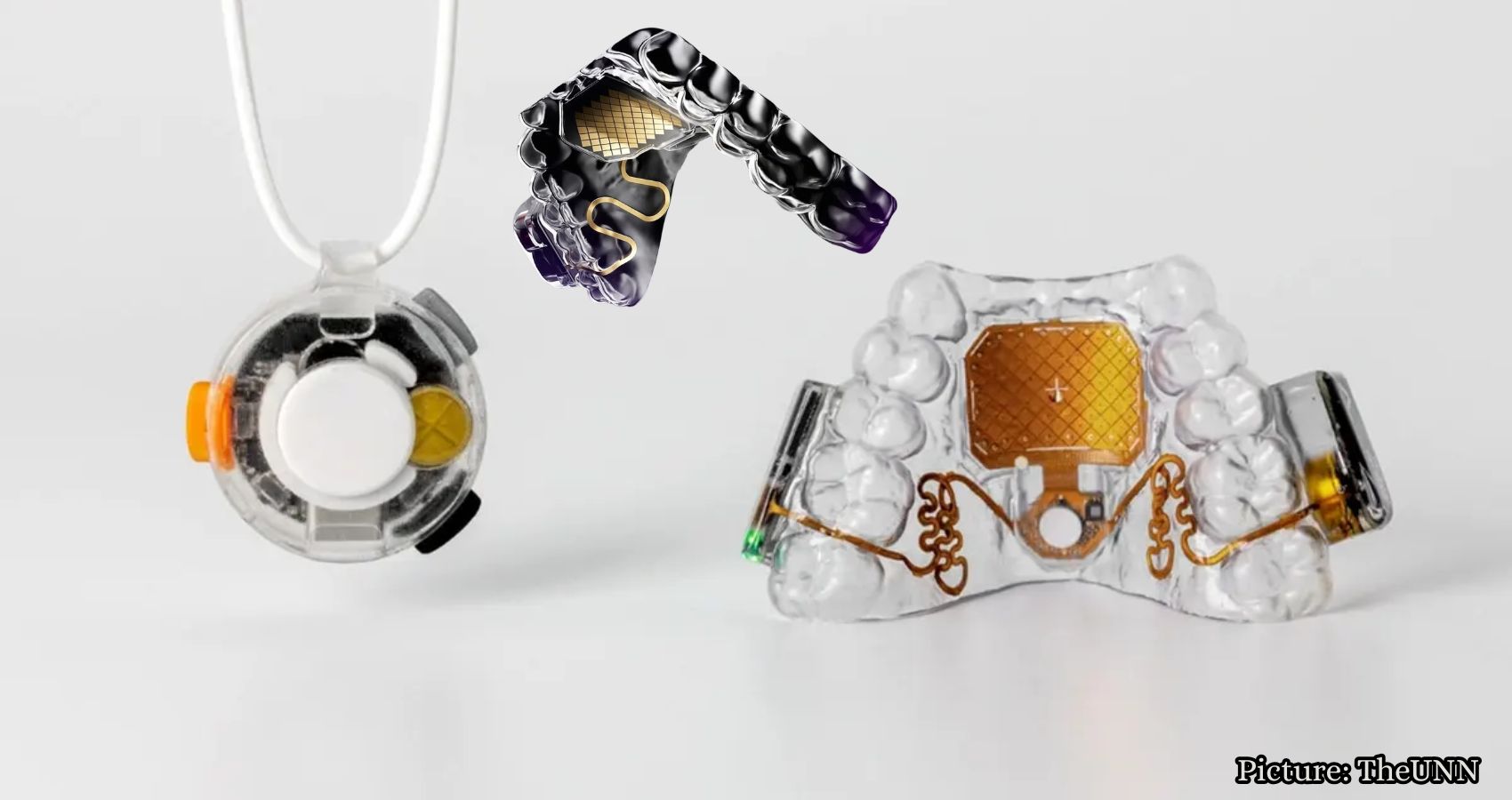
The MouthPad, a hands-free touchpad developed by Augmental Technologies, allows users to control computers with their tongues, offering a new accessibility solution for individuals with limited mobility.
In a significant advancement in accessibility technology, Augmental Technologies has introduced the MouthPad, a custom-fit touchpad designed to be worn inside the mouth. This innovative device enables users to control a computer, smartphone, or tablet using their tongue or head movements, eliminating the need for hands altogether.
Resembling a slim dental retainer, the MouthPad is equipped with technology that translates subtle movements into cursor control. Augmental aims to provide individuals with limited mobility a new means to interact with everyday technology, having collaborated with hundreds of users with varying abilities during its development.
So, how does the MouthPad work? The device is positioned over the upper teeth, with a pressure-sensitive touchpad resting against the roof of the mouth. Users can move their tongues across the touchpad to navigate the cursor, while head movements can also be utilized. A simple tongue press can perform a left-click or click-and-drag action, and a sip gesture can trigger a right-click. Additionally, the MouthPad supports scrolling and swiping, allowing users to perform many tasks typically handled by fingers on a mouse or trackpad.
The MouthPad connects wirelessly, similar to a Bluetooth mouse, which means there is no need for a special receiver plugged into the computer. It is compatible with various operating systems, including macOS, Windows, Linux, iOS, and Android. The companion app, available for macOS, Windows, and iOS, allows users to adjust settings such as cursor speed, touch sensitivity, and click strength. These preferences are stored on the MouthPad itself, enabling seamless transitions between multiple devices without the need for reconfiguration.
One of the primary concerns for potential users is whether the MouthPad affects speech. Augmental states that its custom design minimizes impact on verbal communication, allowing users to speak or utilize voice recognition software while wearing it. However, the company acknowledges that individual experiences may vary, and some users may require time to adjust to speaking normally with the device in place. Comfort levels also differ, with Augmental reporting that team members and early users have worn the MouthPad for up to 10 hours a day, although comfort is influenced by factors such as mouth shape and usage style.
The MouthPad weighs approximately 10 grams and is about 1 mm thick, constructed from dental resin. It boasts a battery life of over seven hours of continuous use, with a charging time of around 1.5 hours. Each MouthPad comes with its own charging case and a USB cable, and Augmental offers a two-device package for $1,900, providing a backup device for extended use.
To obtain a MouthPad, users must undergo a custom fitting process. After placing an order, an intraoral 3D scan from a dentist or local scanning provider is required. This scan is used to manufacture the device, with most providers charging between $50 and $150 for the service. Augmental typically ships the finished MouthPad about six months after receiving the scan. Once received, users can configure the device and perform a one-time calibration through the company’s online platform.
Augmental recommends the MouthPad for individuals over 18 who possess sufficient tongue dexterity to operate it. Good oral health is also advised, and candidates should not be undergoing active dental or orthodontic treatment. Additionally, users must be able to open their mouths wide enough for the initial 3D scan.
Interest in the MouthPad has exceeded expectations, with over 6,300 people currently on the waitlist. This includes individuals with disabilities and professionals seeking to control devices while keeping their hands free for other tasks.
Regular cleaning is essential for the MouthPad, which should be washed by hand with soap and water before and after each use. Users can drink water while wearing the device, but it must be removed before consuming anything else or sleeping, as hot liquids can affect its fit. Biting or chewing the MouthPad is discouraged, as it could damage the device and void the warranty.
The cost of the MouthPad is $1,400 for a single custom-fit device, with the additional expense of the dental scan. Currently, the MouthPad is not covered by insurance, Flexible Spending Accounts (FSA), or Health Savings Accounts (HSA). At this time, Augmental only ships the MouthPad to addresses within the United States, although the device itself is not geo-restricted and can be used internationally.
The MouthPad exemplifies how accessibility technology can transform the way individuals interact with computers. For those who struggle to use traditional input devices, the ability to navigate technology through subtle mouth movements can offer a new level of independence. While the price point and custom fitting process may pose challenges for some, the MouthPad represents a significant milestone in hands-free computing.
As Augmental continues to innovate, they are also developing Vox, a wearable microphone designed to detect quiet speech through body vibrations. This technology aims to complement the MouthPad by handling dictation while the MouthPad manages cursor control.
For many, the concept of controlling a computer with a device inside the mouth may seem unconventional. However, for individuals with limited hand mobility, the MouthPad could provide a vital solution to overcome barriers in everyday technology use. As the device moves from development to consumer availability, it highlights the importance of creating inclusive technology that empowers users.
Would you consider using a device like the MouthPad to control your phone or computer? Share your thoughts with us at Cyberguy.com.
According to Fox News.