
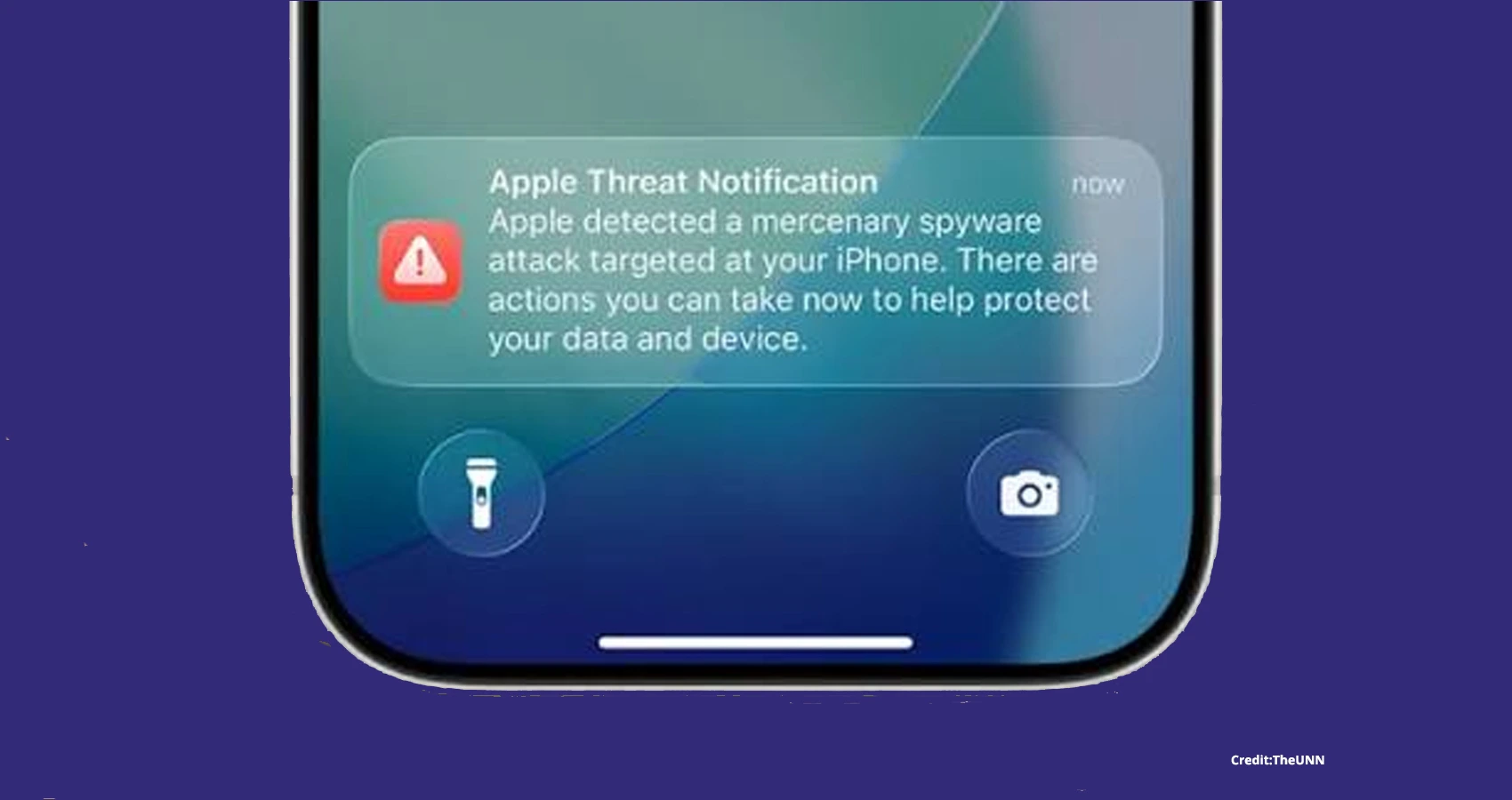
Apple has issued spyware alerts to iPhone users in 110 countries, marking a significant step in its security measures against sophisticated mercenary spyware attacks.
Apple has confirmed that it sent out alerts regarding mercenary spyware to targeted users in 110 countries, with notifications now appearing directly on iPhone Lock Screens. This new wave of security notifications was communicated to CyberGuy, with Apple stating, “We can confirm threat notifications were sent on August 13 to targeted users in 110 countries, and to date we have notified users in over 150 countries in total.”
If you receive one of these alerts on your iPhone, it is crucial not to dismiss it as just another routine security notice. Apple categorizes these as high-confidence alerts indicating that someone has specifically targeted you with advanced spyware. Understanding what these warnings mean, how to verify their authenticity, and what steps to take next is essential for your security.
Apple has enhanced its threat notification system to ensure that critical information and recommended security measures are easily accessible. Users can now see these alerts on their iPhone Lock Screens, in the Settings app, and via email sent to their Apple Account addresses. Additionally, warnings will appear when users sign in to Apple’s account website.
The Lock Screen message reads: “Apple detected a mercenary spyware attack targeted at your iPhone. There are actions you can take now to protect your data and device.” This alarming notification signifies that mercenary spyware attacks are more sophisticated than typical malware and scams, often involving significant financial resources aimed at a select few individuals.
Receiving a warning does not necessarily mean that spyware has successfully infiltrated your device. Instead, it indicates that Apple has detected suspicious activity aimed at you. However, it is a notification that should not be ignored.
Historically, these attacks have targeted individuals based on their identity or profession, with previous victims including journalists, activists, politicians, and diplomats. Research has linked these attacks to state actors and private companies that develop surveillance tools.
Apple does not disclose specific attackers or countries when issuing notifications, as revealing too much information could help spyware operators adjust their tactics. This caution is particularly important, as scammers may attempt to mimic these alerts. A fraudulent notification could falsely claim that your iPhone has been hacked and direct you to a fake Apple login page, aiming to steal your credentials.
According to Apple, legitimate threat notifications will never request that you click on a link, open a file, install an app or profile, or provide your Apple Account password or verification code via email or phone. To verify the authenticity of a notification, users should navigate directly to Apple’s official account website using their browser and sign in normally. If a genuine threat notification was sent, it should be displayed at the top of your Apple Account page.
If you receive a legitimate warning, treat your device as a potential security incident until you gather more information. Apple recommends several immediate actions, including enabling Lockdown Mode, which restricts certain apps, websites, and connections to minimize the risk of sophisticated spyware attacks.
To enable Lockdown Mode on your iPhone or iPad, go to Settings > Privacy & Security > Lockdown Mode. Apple emphasizes that keeping your devices updated with the latest software is critical for defending against mercenary spyware attacks. Regular software updates often close vulnerabilities that attackers may exploit.
In addition to enabling Lockdown Mode, Apple advises users to activate two-factor authentication (2FA) and review the devices connected to their Apple Account. Using a strong, unique password for your Apple Account is also essential, and a password manager can help generate and store these securely.
As awareness of spyware warnings grows, so too does the potential for scammers to exploit public concern. Users should be cautious of unexpected calls claiming to be from Apple Support and avoid clicking on links in unsolicited texts or emails regarding spyware. Remember, Apple’s notifications will never ask for your password or verification code.
While strange behavior on your device does not automatically indicate spyware, unexplained apps, unexpected settings changes, or other unusual activity should be investigated. Apple describes Lockdown Mode as an “extreme” protection measure intended for a small number of individuals facing sophisticated targeted attacks. For most users, maintaining current software and securing your Apple Account will provide a solid foundation for everyday security.
Even if you have not received a spyware warning, there are proactive steps you can take to enhance your security. Regularly updating your devices can close vulnerabilities before they can be exploited. On an iPhone or iPad, you can enable Automatic Updates from the Software Update screen to ensure future updates are installed automatically.
Be cautious with any profiles or software that others suggest you install, and check your iPhone for suspicious configuration profiles or device management settings. Unexpected security warnings can also be bait for phishing attacks, so it’s important to know how to identify fake Apple alerts and phishing messages.
Good security software can help protect you from malicious links, phishing attempts, and other online threats. Additionally, data brokers may collect and sell personal information, so utilizing a data removal service can help limit the information available to potential threats.
Apple’s decision to display these warnings directly on the iPhone Lock Screen is a strategic move, ensuring that users cannot easily overlook such serious alerts. The company encourages targeted users to take these notifications seriously, enable Lockdown Mode, and keep their devices updated.
As the commercial spyware industry continues to evolve, the potential for targeted surveillance remains a concern. While most individuals may not be at risk of becoming targets, Apple’s warnings highlight the aggressive nature of modern surveillance tactics. If you receive a notification from Apple indicating that you have been targeted, it is crucial to take the warning seriously until you receive guidance from qualified experts.
For further information on how to protect yourself against spyware and other online threats, visit CyberGuy.com.
According to CyberGuy, Apple’s proactive measures aim to enhance user security and awareness in an increasingly complex digital landscape.